01What is Salesforce Integration?
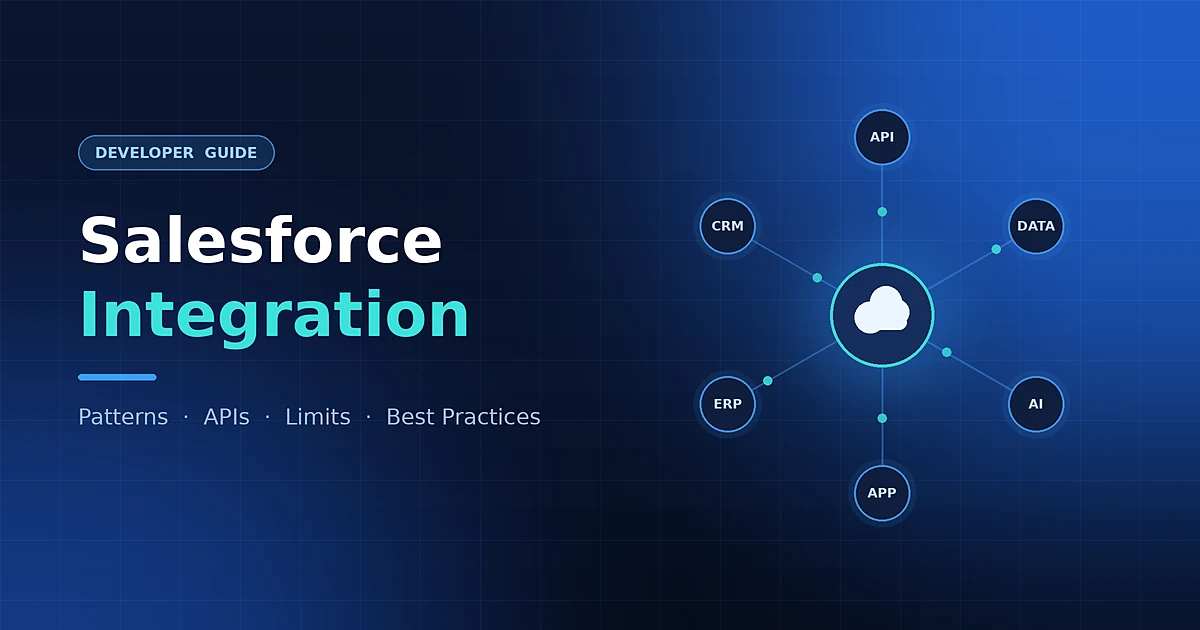
Salesforce Integration means connecting Salesforce with other applications, systems, databases, or services so they can exchange data and automate business processes.
Example: Salesforce → SAP → Order Creation
02Is Integration Required in the AI Era?
Yes. Integration is even more important in the AI era because AI agents need secure access to business data and external systems to perform actions.
Agentforce → API / MCP → SAP → Order Status
Key Point: AI does not replace integration. AI depends on integration to connect with business systems.
03Tool-Based Integration
Tool-based integration uses connectors, middleware, configuration, or low-code tools instead of building the complete integration with custom code.
Common Tool-Based Integration Options
| Tool | What it does |
|---|---|
| MuleSoft Anypoint Platform | Full iPaaS for connectors, orchestration, transformation, and API management. |
| Salesforce Connect | Accesses external data as External Objects in real time without copying the data into Salesforce; commonly supports OData-based sources. |
| External Services | Registers an OpenAPI-described service and makes supported operations available as invocable actions in Flow. |
| Flow HTTP Callout | Calls an external REST API directly from Flow without writing Apex. |
| Platform Events / CDC | Supports publish-subscribe, event-driven integration and Salesforce data-change notifications. |
| Heroku Connect | Provides bi-directional synchronization between Salesforce data and Heroku Postgres. |
| Data 360 Connectors | Connect external data sources to Data 360 for ingestion or supported federated access. |
| Boomi, Jitterbit, Informatica, Workato, Zapier | Third-party integration platforms with prebuilt connectors and automation capabilities. |
| Data Loader / Data Import Wizard | Used for bulk or file-based data loading, migration, and one-time data movement rather than real-time integration. |
Example: Salesforce → MuleSoft → SAP
04Custom / Code-Based Integration
Code-based integration means developers write custom code when the requirement needs more flexibility or complex business logic.
- Apex REST Callouts
- Apex SOAP Callouts
- Apex REST / SOAP Web Services
- Queueable Apex
- Batch Apex
- Platform Events
- Custom REST / Bulk API Clients
Common Custom / Code-Based Integration Options
| Option | What it Does | Example |
|---|---|---|
| Apex REST Callout | Calls an external REST API from Salesforce using HTTP methods such as GET, POST, PUT, or DELETE. | Salesforce → Payment / Pricing / Shipping API |
| Apex SOAP Callout | Calls WSDL-based SOAP services from Apex, mainly for legacy or enterprise systems. | Salesforce → Legacy ERP / Banking Service |
| Apex REST Web Service | Exposes custom Salesforce business logic as a REST endpoint for external applications. | Website / Mobile App → Custom Salesforce REST Service |
| Apex SOAP Web Service | Exposes Salesforce logic as a SOAP service when a SOAP contract is required. | Legacy Enterprise App → Salesforce SOAP Service |
| Queueable Apex + Callout | Runs callouts asynchronously when the user does not need to wait for the external response. | Closed Won → Queueable Apex → ERP Order Creation |
| Batch Apex + Callout | Processes large groups of Salesforce records in batches and can call external services where appropriate. | Nightly Customer / Product Synchronization |
| Platform Events + Custom Consumer | Publishes business events that custom external applications can subscribe to for event-driven processing. | Order Created Event → External Fulfilment System |
| Custom REST / Bulk API Client | External code written in Java, Node.js, Python, .NET, or another language uses Salesforce APIs to read or update Salesforce data. | External Application → Salesforce REST / Bulk API |
Example: LWC → Apex → External REST API → Response
05How to Choose: Tool-Based vs Custom Code
| Factor | Tool-Based | Custom Code |
|---|---|---|
| Speed to Build | Usually faster | Usually slower |
| Complex Transformation | Good for standard transformations; depends on the tool | Strong control for highly custom logic |
| Maintenance | Often admin / integration-team friendly | Usually requires developers |
| Licensing Cost | May require additional paid licenses | May use existing platform capabilities, but development and maintenance cost still applies |
| Vendor Lock-In | Can be higher depending on the platform | Usually lower, but still depends on Salesforce and external API design |
| Debuggability | Depends on the tool and available monitoring | More control over logs, exceptions, and debugging |
| Flexibility | Depends on available connectors and features | High |
| Best For | Standard or connector-based integrations | Complex, highly customized requirements |
| Example | Salesforce → MuleSoft → SAP | Salesforce → Apex → Custom REST API |
Simple Rule: Use tool-based integration when a standard connector or configuration can solve the requirement cleanly. Use custom code when the requirement needs highly specific logic, control, or behavior.
06Types of Salesforce Integration
- Synchronous: Salesforce sends a request and waits for the response.
- Asynchronous: Salesforce sends a request or event without waiting for the complete process.
- Batch: Large amounts of data are processed at scheduled intervals.
- Event-Driven: Systems react when a business event or data change occurs.
- Inbound: External system communicates with Salesforce.
- Outbound: Salesforce communicates with an external system.
- Bi-Directional: Both systems exchange data.
07Common Salesforce Integration Technologies
- REST API
- SOAP API
- Bulk API
- Apex Callouts
- Platform Events
- Change Data Capture
- Pub/Sub API
- Salesforce Connect
- External Services
- MuleSoft
- Flow
- MCP
08Where is Integration Used?
- ERP systems such as SAP and Oracle
- Payment gateways and banking systems
- Websites and mobile applications
- External databases and data warehouses
- Shipping and logistics systems
- Marketing platforms
- AI applications and agents
09Real-Time Use Cases
- Payment: Salesforce → Payment Gateway → Payment Result
- ERP: Closed Won Opportunity → SAP → Order Creation
- Shipping: Salesforce → FedEx / DHL → Tracking Number
- Banking: Salesforce → Banking API → Account Balance
- Website: Website → Salesforce → Lead / Contact Creation
- Inventory: Salesforce → Inventory System → Product Availability
- AI: Agentforce → API / MCP → External System → Business Action
10Best Practices
- Choose the correct integration pattern.
- Use OAuth and Named Credentials.
- Do not hard-code credentials.
- Use asynchronous processing when immediate response is not required.
- Use Bulk API for large data volumes.
- Implement proper error handling and retry mechanisms.
- Prevent duplicate processing using External IDs or idempotency.
- Monitor integration failures and API usage.
- Use middleware for complex enterprise integrations.
- Follow least-privilege security.
11Common Integration Errors
| Error | Meaning | Solution |
|---|---|---|
| 400 | Bad Request | Validate request data, JSON, and required fields. |
| 401 | Unauthorized | Verify OAuth token and authentication. |
| 403 | Forbidden | Check permissions, scopes, and API access. |
| 404 | Not Found | Verify endpoint and resource path. |
| 429 | Too Many Requests | Use throttling, batching, and retry logic. |
| 500 | Server Error | Log the error and retry when appropriate. |
| Timeout | Slow external response | Use asynchronous processing where possible. |
| Duplicates | Same request processed again | Use External IDs, Upsert, or idempotency keys. |
12Limitations and Solutions
| Limitation | Solution |
|---|---|
| API Limits | Use batching, Bulk API, caching, or event-driven processing. |
| Apex Governor Limits | Use Queueable Apex, Batch Apex, or middleware. |
| Large Data Volume | Use Bulk API or ETL tools. |
| External System Downtime | Use retry, queue, logging, and monitoring. |
| Slow API Response | Use asynchronous integration where possible. |
| Authentication Expiry | Use OAuth and Named Credentials. |
| Complex Point-to-Point Integrations | Use MuleSoft or another middleware layer. |
| Data Duplication | Use External IDs and idempotent processing. |
13Key Point
Salesforce Integration connects Salesforce with business systems, while AI uses those integrations to access data, perform actions, and complete intelligent business processes.
Traditional: Salesforce ↔ External System
AI Era: User → AI Agent → API / MCP / Integration Layer → Business Systems
Published by: SFDCINDIA Published on: 09 September 2026, 11:30 AM IST